


Project Assistant: advanced software for planning video security projects
Bosch Building Technologies has developed this software to help system integrators and installers configure the security project more efficiently.
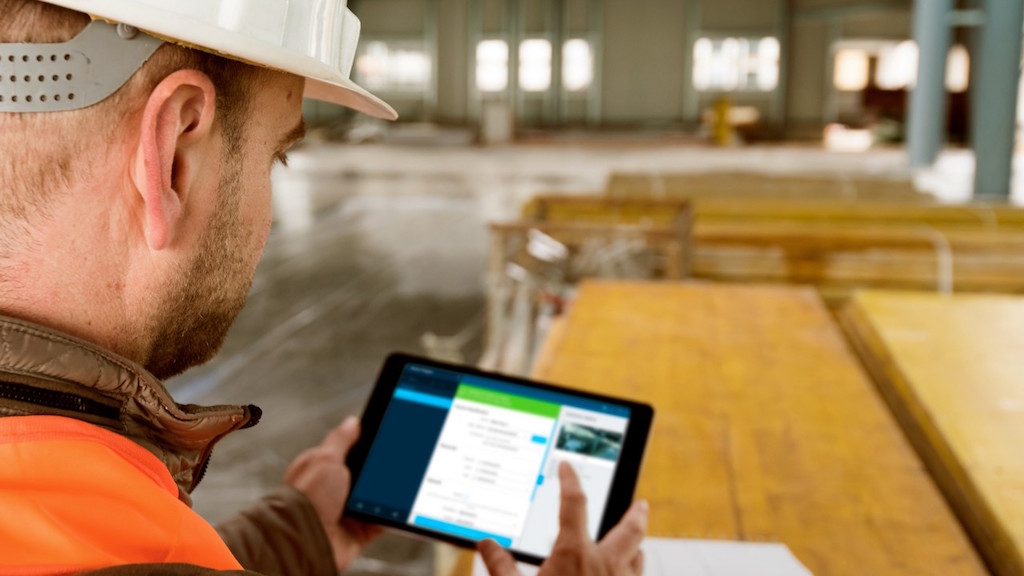
The Project Assistant application from Bosch Building Technologies makes it easier for professionals to plan, configuration, the installation and the final report of a video security project more simply, with greater control and in less time.
Each video security project involves setting up secure passwords for the cameras, assigning the IP addresses, pre-configuring the devices, on-site installation and configuration, as well as presenting the final installation documentation to the end customer.
In this process, it is natural that some errors may occur, incorrect communications, etc. that add time and costs to the project and can have an adverse effect on customer satisfaction.
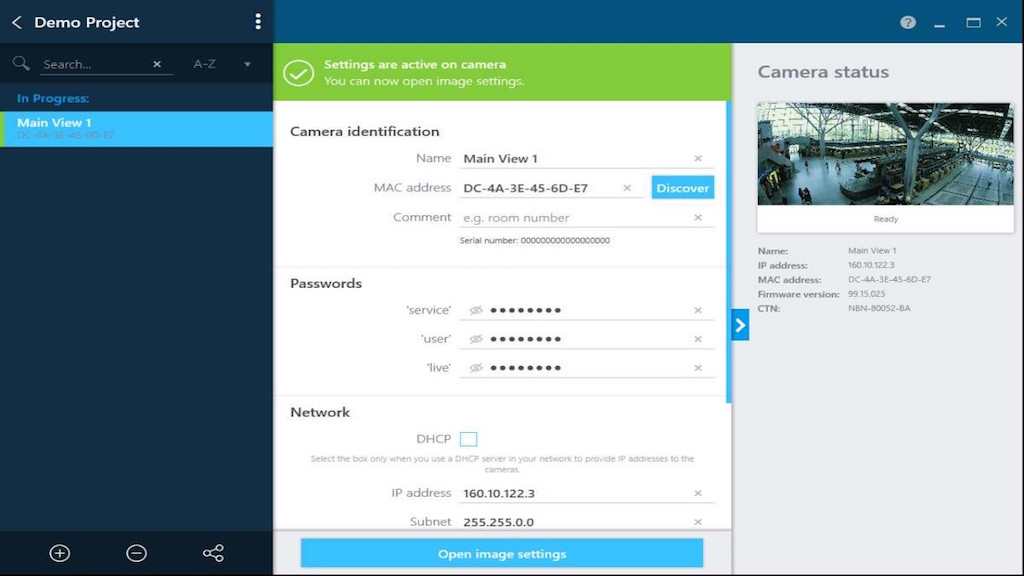 With the development of Project Assistant, the pre-configuration and final setup (start-up) can start from the office, even without the physical camera. In fact, the system integrator can create a new project with the initial documentation, a set of IP addresses and the passwords chosen by the client, by entering the information directly into their application or through a file in an Excel-compatible format.
The entry of passwords and IP network addresses can be done per camera or, with the help of the application, on several cameras at once by configuring the passwords and a range of IP addresses for the entire project.
 Project Assistant automatically enters the information into each camera of the project, which helps save time. Additional information can also be added, such as the camera name and location without needing the cameras to be physically present.
Creating a set of virtual cameras in the application eliminates the need to unpack and repack the products for labeling. Besides, The pre-configuration is done at the integrator's office, which represents a time savings of up to a 30%.
Una vez que las cámaras están instaladas físicamente en su ubicación y conectadas a la red, la aplicación Project Assistant ha de estar conectada a la misma red (vía Wi-Fi o cable); tras esto, las cámaras están preparadas para cargar la configuración virtual. Simplemente escaneando los códigos QR situados en las cajas de las cámaras, en el propio dispositivo o en las pegatinas, la dirección MAC de la cámara es identificada y se asigna a una virtual en la aplicación.
 Los ajustes predefinidos y ya establecidos en Project Assistant van directamente a la cámara y el integrador de sistemas puede configurar el campo de visión, ajustar la nitidez de la imagen y aplicar configuraciones adicionales si así se requiere.
La aplicación Project Assistant está diseñada para apoyar la gestión de un proyecto de videoseguridad durante cada paso. Facilita también el informe final, haciendo posible que cada cámara del proyecto este conectada, comprobada y reportada en cuestión de segundos, para de inmediato entregar un informe final al cliente, junto con las instantáneas del campo de visión de cada cámara.
Los diferentes proyectos preconfigurados con Project Assistant pueden compartirse a través de cloud a otros miembros de la empresa, para que accedan y tengan una visión general clara y detallada del estado de los proyectos en cualquier momento y aportando transparencia en todo el proceso.
¿Te gustó este artículo?
Subscribe to our NEWSLETTER and you won't miss anything.
Other related articles

Bosch improves road safety with predictive alerts based on real-time data
Las soluciones de megafonía y evacuación de 4EVAC se incorporan al catálogo de EET
Of 3.400 a 10.500 millions: the unstoppable rise of the CCTV market in Europe
MCR presents the future of security at SICUR 2026: of the network, to the sky
Bosch Dinion 8100i: thermal perimeter surveillance with AI
Bosch solutions help protect China's cultural treasures
Bosch's security and communications business operates as Keenfinity
Genetec Expands Security Center SaaS Flexibility with New Features
Bosch amplía su gama Flexidome 3100i con un discreto domo para interior
Bosch presents the Autodome IP starlight cameras for outdoor use with IR
Quanergy integrates with Bosch to offer greater perimeter security
Bosch LAS-Beam: adjustable column speakers for voice evacuation
Los 'detectores invisibles' de Bosch protegen al hotel Modern Times
La tecnología de Bosch protege la ciudad de Oporto
Bosch sells the business of its Building Technologies division to Triton